 Folders
How to open .KML files (Google Earth placemarks) on Android, Windows and Linux
What .kml, .gpx, .opml, .rss and .atom files are and how to open, read and edit map data, GPS tracks and feed files for free on Android, Windows and Linux.
 Satyam Mishra5 min read
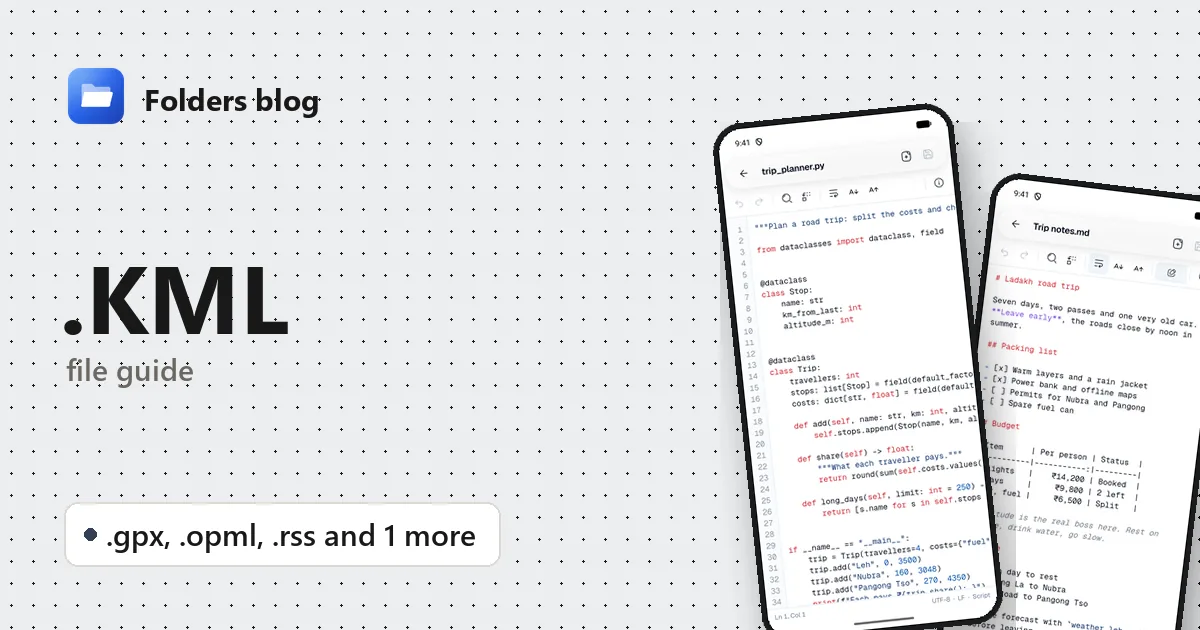
Someone shares the route of a walk as a .gpx file, a colleague exports a map from Google Earth as .kml, or your old podcast app hands you subscriptions.opml. You want to check a coordinate or fix a name, and your phone just offers to share the file somewhere.
All five formats are XML, which means plain text underneath. Folders opens KML, GPX, OPML, RSS and Atom files in its text editor on Android, Windows and Linux, with the tags coloured. It shows the data itself, not a map or a news feed.
What is a .kml file?
KML (Keyhole Markup Language) describes things to show on a map or globe: placemarks, paths, polygons, photos placed in the landscape, and the styles they’re drawn with. It came from Keyhole, the company Google bought to make Google Earth, and is now a standard of the Open Geospatial Consortium. Google Earth and Google My Maps both import and export it.
One quirk catches people out: KML writes coordinates as longitude, latitude, with an optional altitude, as in <coordinates>-0.1276,51.5072,0</coordinates>. Many other tools expect latitude first.
The other formats here are cousins: XML files that carry tracks, lists or feeds.
| Extension | Language or format | What it’s for |
|---|---|---|
.kml |
KML | Placemarks, routes and shapes for Google Earth and other map apps |
.gpx |
GPS Exchange Format | Recorded tracks, planned routes and waypoints from GPS devices and fitness apps |
.opml |
Outline Processor Markup Language | Lists of feed or podcast subscriptions, moved between apps |
.rss |
RSS | A feed of a site’s or a podcast’s latest items |
.atom |
Atom | A newer feed format standardised by the IETF, doing the same job as RSS |
- GPX files hold
<trkpt>track points withlatandlonattributes, usually with an<ele>elevation and a<time>. Garmin devices, Strava, Komoot and many other apps export them, and a long ride can hold tens of thousands of points. - OPML began as an outline format; today it mostly carries subscriptions. Each feed is an
<outline>with anxmlUrlattribute holding its address. - RSS and Atom list items (
<item>in RSS,<entry>in Atom) with titles, links and dates. In a podcast feed, each episode’s audio is linked from an<enclosure>tag.
The zipped version of KML, .kmz, opens in Folders’ 3D viewer, which shows a 3D model packed inside, such as a building made for Google Earth (see how to open DAE and KMZ files). A KMZ with only placemarks has no model to show; rename a copy to .zip, open it in Folders and tap the doc.kml inside.
How to open a .kml file with Folders
On Android
- Download Folders from the download section and install it. Android 7.0 or later is fine.
- Open it and tap Allow access, then allow All files access.
- Find the file, usually in Downloads, or type part of its name in the search box.
- Tap it to open it in the text editor.
Files from a fitness app or email often arrive through the share menu: choose Open with → Folders.
On Windows and Linux
- Install Folders: the setup program on Windows, or a deb, rpm, AppImage, Flatpak, Snap or tar.gz package on Linux.
- Browse to the file in Folders and double-click it.
- On Windows, right-click the file in File Explorer and choose Open with → Folders. The installer adds Folders there for the types it opens.
What you can do with it in Folders
- Read the structure. Tags, attribute names, values and comments are coloured, so a
<Placemark>or<trkpt>is easy to pick out. - Find a place or a point. Find a placemark’s name to see its coordinates, or
xmlUrlin an OPML file to step through every feed address. The first<trkpt>in a GPX file is where the recording began. - Fix names and descriptions. Rename a placemark, correct a waypoint label or a feed title, and tap Save. Find and replace with Match case changes many at once.
- Jump around big files with Go to line, word wrap and text size; Document info shows the line, column, encoding and line endings. Tabs let you compare two files.
What Folders doesn’t do: draw tracks on a map, show feeds as articles, play podcast episodes from a feed, or convert between these formats.
Other ways to open .kml files
- Google Earth (on the web or the free desktop version) for KML, and Google My Maps, which imports KML and GPX.
- GPXSee, a free viewer for Windows and Linux that draws GPX and KML tracks on a map; the website gpx.studio does the same in a browser.
- OsmAnd or Organic Maps on Android, which import GPX and KML for navigation.
- Any feed reader or podcast app for RSS, Atom and OPML: most have an import option for OPML files.
Problems opening a .kml file?
- Points end up in the wrong place, often the sea. Latitude and longitude have been swapped. KML puts longitude first; GPX uses named
latandlonattributes. Check a point in Folders against a map. - The file is a KMZ renamed to KML. If it opens as gibberish, use Open in hex viewer: a file starting with the letters
PKis really a ZIP. Treat it as a KMZ, as above. - An app rejects a GPX file. Some apps need timestamps on every point, and a planned route has none. Look for
<time>tags in Folders; if they’re missing, the file is a route, not a recorded activity. - A feed file is really a web page. Saving a feed from a browser can save the page around it. If the file starts with
<!DOCTYPE html>instead of<?xmlor<rss, fetch the feed’s address again.
Questions people ask
How do I open a GPX file on Android? Folders opens it as text, so you can read and edit the points. To see the route on a map, import it into a map app such as OsmAnd or Organic Maps.
How do I convert KML to GPX? GPSBabel, a free converter for Windows and Linux, converts between KML, GPX and many other GPS formats. Folders doesn’t convert them.
Is a .kml file safe? It’s data, not a program, though a KML network link can make Google Earth fetch content from the web. Reading one in Folders fetches nothing.
RSS vs Atom: what’s the difference? Both are feed formats. Atom is a stricter, more recent IETF standard; RSS is older and more widespread, especially for podcasts. Feed readers handle both.
All of these are XML: see how to open XML files. Map shapes also come as GeoJSON, covered in how to open JSON files. Or see all 382 file types Folders opens.
Keep reading
How to open .C files (C and C++ source code) on Android, Windows and Linux
What .c, .h and .cpp files are and how to open, read and edit C, C++ and Objective-C source code for free on Android, Windows and Linux, with no IDE needed.
How to open .CS files (C# source code) on Android, Windows and Linux
What .cs, .csproj, .sln, .vcxproj and .xaml files are and how to open and edit C# code and Visual Studio projects for free on Android, Windows and Linux.
How to open .CSS files (style sheets) on Android, Windows and Linux
What CSS, SCSS, Sass and Less files are and how to open, read and edit style sheets for free on Android, Windows and Linux, with colours, search and replace.