 Folders
How to open .SH files (shell scripts) on Android, Windows and Linux
What .sh, .bash, .zsh, .fish and .awk files are, and how to open, read and edit shell scripts for free on Android, Windows and Linux without running them.
 Satyam Mishra5 min read
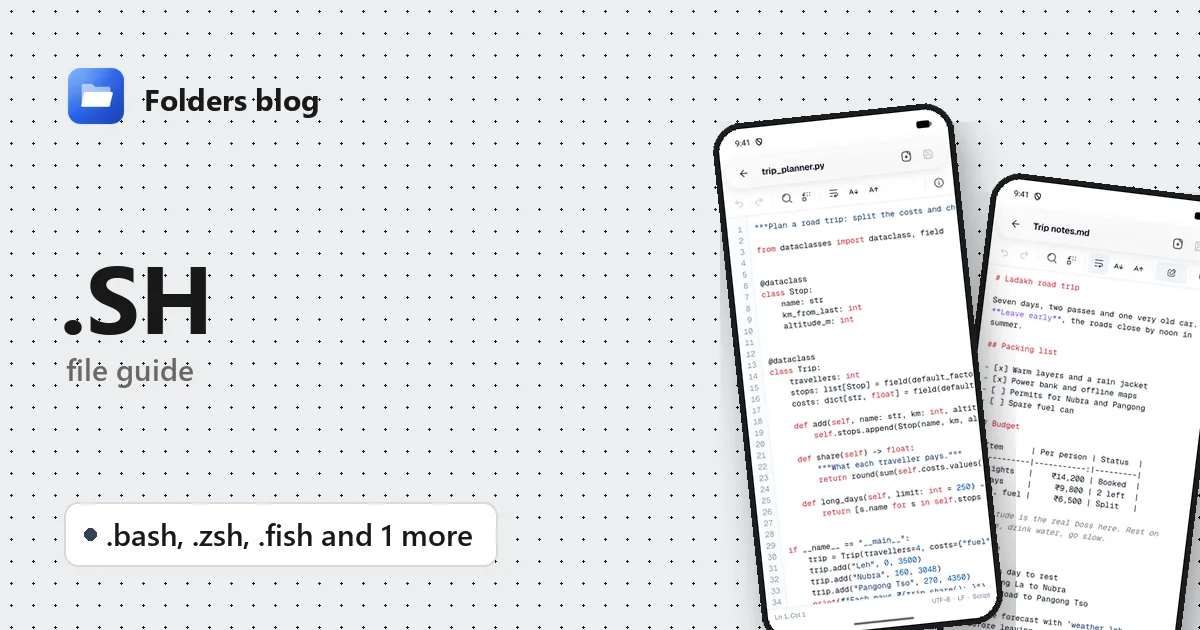
An install guide tells you to download install.sh and run it, a project has a build.sh you need to tweak, or someone sends you a script on Windows, where it doesn’t open at all. Either way, you want to read it before anything runs.
Shell scripts are plain text. Folders opens .sh, .bash, .zsh, .fish and .awk files in its text editor on Android, Windows and Linux. It shows and edits the script, and it never runs it.
What is a .sh file?
A .sh file is a shell script: a list of commands for a Unix shell, the program behind a Linux terminal. Scripts install software, back up folders, build projects and start servers. The first line, called the shebang, says which shell should run it:
#!/bin/shasks for a basic POSIX shell. On Debian and Ubuntu that’sdash, which is smaller and stricter than Bash.#!/bin/bashor#!/usr/bin/env bashasks for Bash, which adds arrays,[[ ]]tests and other extras.
The extension is only a hint; the shebang is what counts. That’s why a script that uses Bash features but starts with #!/bin/sh can work on one system and fail on another.
| Extension | Language or format | What it’s for |
|---|---|---|
.sh |
POSIX shell (often really Bash) | Install, build and maintenance scripts |
.bash |
Bash | Scripts that need Bash features, Bash completion files |
.zsh |
Zsh | Scripts and themes for zsh, the default shell on Apple’s computers and popular with Oh My Zsh |
.fish |
fish | Functions and settings for the fish shell, such as config.fish |
.awk |
AWK | Small programs that scan text line by line and print fields or totals |
Two of these stand apart. fish deliberately breaks with the usual shell syntax: you write set name value instead of name=value, and blocks close with end instead of fi or done, so Bash scripts don’t run in fish unchanged. AWK isn’t a shell at all but a text-processing language from Bell Labs, named after its authors Aho, Weinberger and Kernighan. You run an .awk file with awk -f report.awk data.txt.
How to open a .sh file with Folders
On Android
- Download Folders from the download section and install it. It runs on Android 7.0 and newer.
- On first launch, tap Allow access and switch on All files access.
- Browse to the script, or search for it by name.
- Tap it to open it in the text editor.
A script sent in a chat or attached to an email opens with Open with → Folders. Opening it this way doesn’t make it executable or run it.
On Windows and Linux
- Install Folders: the Windows installer, or a deb, rpm, AppImage, Flatpak, Snap or tar.gz package.
- Browse to the script in Folders and double-click it. It opens as text.
- On Windows, Folders is listed in File Explorer’s Open with menu for
.shfiles and the others here: right-click → Open with → Folders.
Shell settings live in hidden files such as .bashrc, .zshrc and .profile, and Folders opens those as text too. On computers, turn on Show hidden files in Folders’ options to see them; Android shows them already.
What you can do with it in Folders
- Highlighting for
#comments, quoted strings, numbers,$VARIABLESand${VARIABLES}, and keywords such asthen,fi,esac,done,localandexport. - Check the line endings. Document info shows whether the script uses Unix (LF) or Windows (CRLF) line endings, along with the encoding and the cursor’s line and column. When you save, Folders keeps the line endings the file already had, so editing a script on Windows doesn’t sneak in CRLF.
- Read before you run. Use Find to look for lines worth understanding first:
rm -rf,sudo,curlorwgetpiped intosh,base64 -dpiped into a shell, or changes to~/.bashrcandcrontab. - Edit and Save with undo and redo: change an install path, a version number or a server address.
- Go to line when Bash reports
deploy.sh: line 31: syntax error. - Tabs, word wrap and text size for working through several scripts on a small screen.
Folders doesn’t run scripts, set the executable bit or check syntax.
Other ways to open .sh files
- A terminal editor on Linux:
nano,vim, or a desktop editor such as gedit or Kate. - Visual Studio Code, ideally with the ShellCheck extension, which flags common mistakes.
- ShellCheck on its own, or at shellcheck.net, to check a script before running it.
- To run scripts on Windows: WSL (Windows Subsystem for Linux) or Git Bash. On Android, Termux provides a Linux-style shell.
Problems opening a .sh file?
/bin/bash^M: bad interpreteror$'\r': command not found. The script has Windows (CRLF) line endings, usually because it was edited or downloaded on Windows. Document info will say CRLF. Convert it withdos2unix script.shorsed -i 's/\r$//' script.sh.Permission deniedwhen running it. Scripts need the executable bit:chmod +x script.sh, then./script.sh. Or run it withbash script.sh.[[: not foundorSyntax error: "(" unexpected. A Bash script is being run bysh(dash). Run it withbash, or change the shebang to#!/usr/bin/env bash.
Questions people ask
How do I run a .sh file on Windows?
Install WSL or Git Bash, then run bash script.sh there. Windows itself can’t run shell scripts.
Can I open a .sh file on Android? Yes. Folders opens it as highlighted text to read and edit. To run it, you need an app like Termux.
Is it safe to open a .sh file?
Opening it as text is safe; nothing runs. Running it is a different matter, especially with sudo, so read it first, and download curl ... | sh installers to a file before running them.
.sh vs .bash: what’s the difference?
Only the hint they give. .bash promises Bash features; .sh should work in any POSIX shell but often needs Bash anyway. The shebang line decides which shell actually runs it.
For Windows scripts, see how to open .ps1, .bat and .reg files. Linux settings files are covered in how to open INI, CONF and .service files. Or browse all 382 file types Folders opens.
Keep reading
How to open .C files (C and C++ source code) on Android, Windows and Linux
What .c, .h and .cpp files are and how to open, read and edit C, C++ and Objective-C source code for free on Android, Windows and Linux, with no IDE needed.
How to open .CS files (C# source code) on Android, Windows and Linux
What .cs, .csproj, .sln, .vcxproj and .xaml files are and how to open and edit C# code and Visual Studio projects for free on Android, Windows and Linux.
How to open .CSS files (style sheets) on Android, Windows and Linux
What CSS, SCSS, Sass and Less files are and how to open, read and edit style sheets for free on Android, Windows and Linux, with colours, search and replace.