 Folders
How to open .ISO files (disc images) on Android, Windows and Linux
What an .iso disc image is and how to open it for free on Android, Windows and Linux: look inside, open single files and copy them out, with no disc to burn.
 Satyam Mishra5 min read
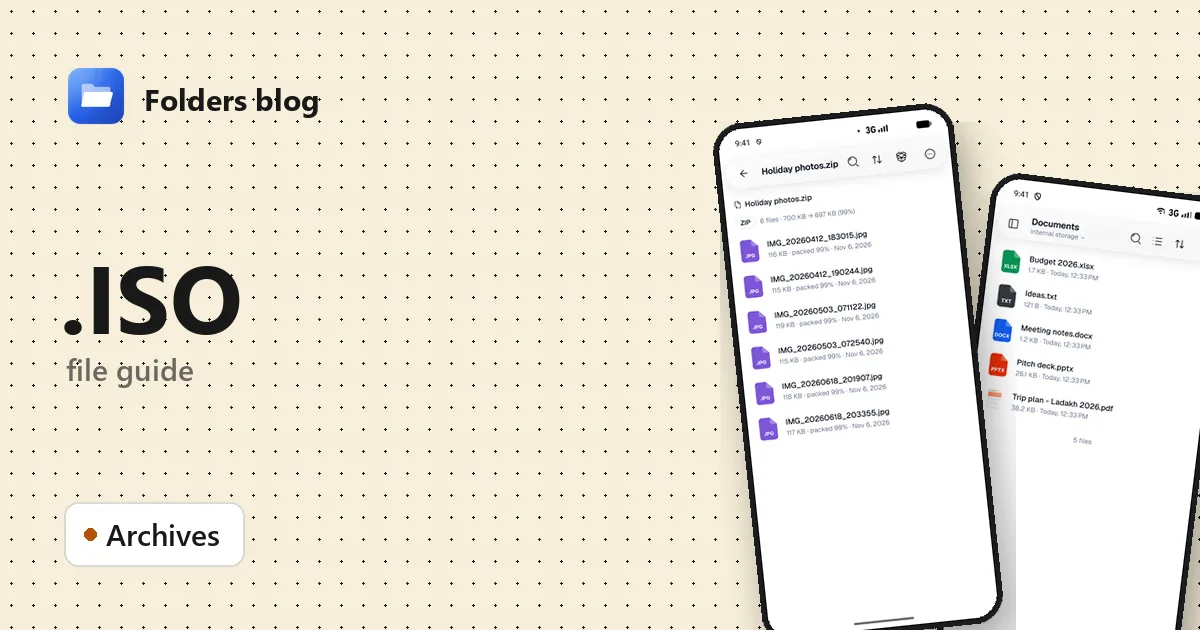
You’ve downloaded a Linux installer, found a backup of an old software CD, or been sent a driver disc as one big file ending in .iso. On Windows a double-click turns it into a pretend DVD drive. On a phone, nothing wants to open it at all.
Folders opens an ISO like an ordinary folder, on Android, Windows and Linux: see every file on the disc, open one straight away, or copy out what you need, without burning or mounting anything.
What is an .ISO file?
An ISO file is a disc image: a copy of everything on a CD, DVD or Blu-ray, sector by sector, in a single file. The name comes from ISO 9660, the CD-ROM file system standard published by the International Organization for Standardization, often with Joliet (long Windows names) or Rock Ridge (Unix names) on top. DVDs, Blu-rays and large modern installers usually use UDF (Universal Disk Format) instead, or carry both.
Today you mostly meet ISO files as operating system installers, backups of software or driver CDs, and archived CD-ROMs such as old encyclopaedias. An ISO isn’t compressed the way a ZIP is, which is why images are so big. And it can’t hold an audio CD: music CDs store tracks, not files, so they’re imaged in other formats.
| Extension | What it is |
|---|---|
| .iso | A copy of a data disc’s file system (ISO 9660, UDF or both) |
| .bin + .cue | A raw copy of every sector plus a text “cue sheet” listing the tracks; used for audio and mixed CDs |
| .img | A loose name: sometimes an ISO under another name, sometimes a raw image of a hard disk or memory card |
How to open an .ISO file with Folders
On Android
- Download Folders from the download section and install it (Android 7.0 or newer).
- Open it and tap Allow access when it asks for All files access.
- Go to the folder with the image, usually Download, or type
.isointo the search box at the top. - Tap the ISO to see the disc’s folders and files.
If the image is in a download manager or cloud drive app, choose Open with → Folders there.
On Windows and Linux
- Install Folders on Windows 10 or 11 (64-bit) or Linux.
- Browse to the ISO in Folders and double-click it.
- On Windows you can also start from File Explorer: right-click the ISO and choose Open with → Folders. The installer adds Folders to that menu for the types it opens.
What you can do with it in Folders
- Browse the disc’s folders as you would a USB stick. A summary at the top tells you how many files there are and how much space they take.
- Search in archive finds a file by name, such as
setup.exe, without opening every folder. Sort reorders the list, and Archive info describes the image itself. - Tap any file inside to open it right away: a PDF manual, a photo, a video or a text file. Folders unpacks only that one file.
- Extract all copies the whole disc into a folder you choose. To take just a few files, select them and choose Extract selected. A progress bar shows how far it has got, and you can cancel.
That’s enough for pulling drivers off a manufacturer’s CD image or rescuing photos from an old backup disc. What it doesn’t do: burn discs, make a bootable USB stick, mount the image as a drive, or create and edit ISO files.
Other ways to open .ISO files
- Windows 10 and 11: double-click the ISO, or right-click → Mount, and it appears as a DVD drive in File Explorer.
- Linux: most desktops mount an ISO from the file manager, or you can run
sudo mount -o loop image.iso /mntin a terminal. - 7-Zip (free, Windows) opens ISO files as archives and extracts them.
- Rufus or balenaEtcher (both free) write an installer ISO to a bootable USB stick; copying the files across by hand usually won’t boot.
Problems opening an .ISO file?
- The download is incomplete. A cut-short image often won’t open, or reports a damaged file system. Most official downloads publish a SHA-256 checksum: compare it, and download again if it doesn’t match.
- It isn’t really an ISO. BIN, NRG or MDF images renamed to .iso don’t read as one, since a raw BIN dump keeps extra data around every sector. Convert it with a disc image tool first.
- It’s an audio CD or a console game. Music CDs have no files to show, and some consoles use their own disc file systems. Use an audio ripper or an emulator.
- Your phone runs out of space. Extracting a 5 GB installer needs 5 GB free. Take only what you need with Extract selected.
Questions people ask
Can I open an ISO file on Android? Yes. Android has nothing built in for disc images, but Folders opens them like a folder and lets you copy files out.
Can I install Windows or Linux from an ISO with Folders? No. Write the ISO to a USB stick with Rufus or balenaEtcher, or start it in a virtual machine. Folders is for looking inside and taking files out.
Is an ISO file safe? The image is only a container; what matters is the software inside. Download system images from the official site and check the checksum.
How do I convert an ISO to ZIP? Open it in Folders, use Extract all, then select the extracted files and choose Compress to ZIP. The ZIP may well be smaller, since disc images aren’t compressed, but it won’t be bootable.
More archive formats: ZIP, RAR and 7z files and TAR, GZ and TGZ files, or see all 382 file types Folders opens.
Keep reading
How to open .BZ2 files (bzip2 and XZ archives) on Android, Windows and Linux
What .bz2, .tbz, .tbz2, .xz and .txz files are and how to open and extract bzip2 and XZ archives for free on Android, Windows and Linux, with no terminal.
How to open .JAR files (Java archives) on Android, Windows and Linux
What a .jar file is and how to open JAR, WAR and AAR archives for free on Android, Windows and Linux: look inside, read the manifest and extract the files.
How to open .TAR files (tar and tar.gz archives) on Android, Windows and Linux
What .tar, .gz and .tgz files are and how to open and extract TAR and tar.gz archives for free on Android, Windows and Linux, with no command line needed.