 Folders
How to open .USDZ files (USD 3D and AR models) on Android, Windows and Linux
What a .usdz file is and how to open USDZ, USDA and USDC 3D models for free on Android, Windows and Linux, and what to do with AR models made for the iPhone.
 Satyam Mishra4 min read
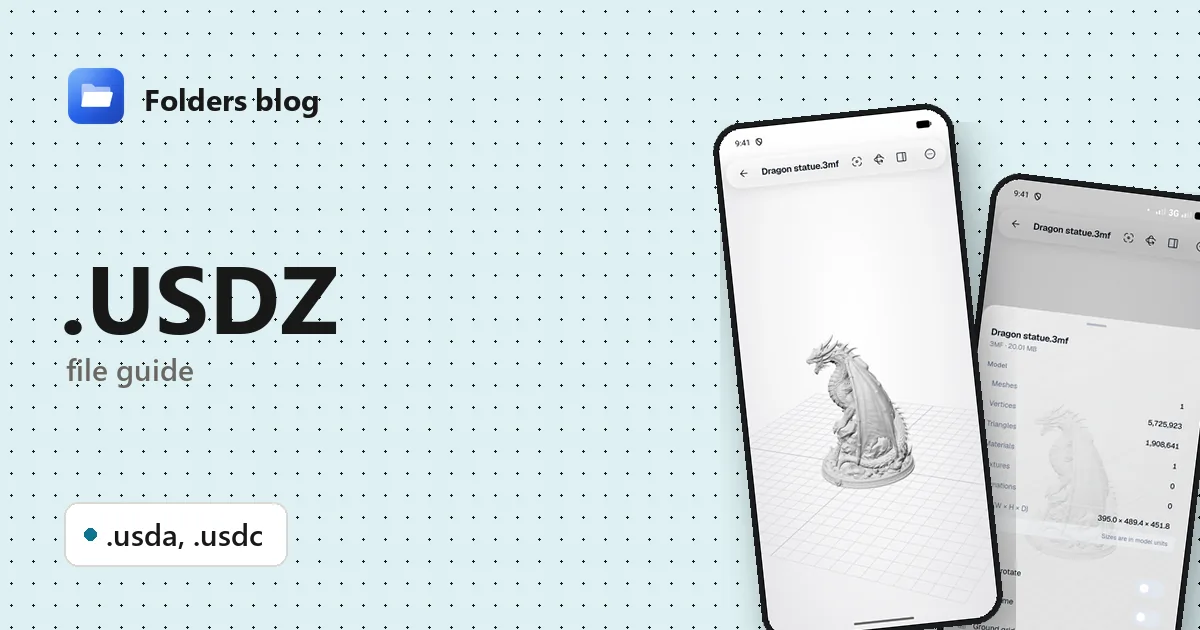
Someone sends you a 3D scan from their iPhone, a shop’s “view in your room” button downloads a .usdz, or a 3D artist shares a USD scene. Android has no built-in way to look at it, and Windows doesn’t know the format either.
USDZ, USDA and USDC are all forms of Pixar’s Universal Scene Description. Folders opens the text-based kind (USDA files, and USDZ packages built from them) in its 3D viewer, for free. Many USDZ files store their scene in the binary USDC form instead, which Folders can’t read yet, so this guide also covers what to do then.
What is a .USDZ file?
USD, short for Universal Scene Description, was created by Pixar to pass huge animated scenes between the programs used in film production, and released as open source in 2016. It’s now backed by the Alliance for OpenUSD, a group of large graphics and software companies.
USD comes in three file forms:
| Extension | What it is |
|---|---|
| .usda | USD as readable text (the “a” stands for ASCII) |
| .usdc | USD in its compact binary “crate” form: smaller and quicker to load |
| .usdz | A single-file package: a USD scene plus its textures, in an uncompressed ZIP |
USDZ was introduced by Apple and Pixar in 2018 for augmented reality. On an iPhone or iPad, tapping a USDZ model on a web page places it in the room through the camera. Android’s version of the same feature uses GLB files, which is why so many shops offer both.
How to open a .USDZ file with Folders
- Install Folders from the download page and give it access to your files.
- Find the model (downloads usually land in Download), or search for
.usdz. - Tap it. If the scene inside is text-based, it appears in the 3D viewer.
- If it’s binary USDC, the viewer shows Can’t display this model and explains that the binary USDC encoding isn’t supported yet. Open with another app passes the file to another viewer.
From another app on Android, choose Open with → Folders. On Windows, open it from Folders or use Open with → Folders in File Explorer’s right-click menu. On Linux, Folders’ 3D viewer isn’t available yet, as it needs a web view the Linux version doesn’t have; use Open with… to pick another program.
Tip: see what’s inside a USDZ. A USDZ is an ordinary ZIP. Copy it, rename the copy to end in .zip, and tap it in Folders. If the first file inside is a .usdc, it’s the binary kind; if it’s a .usda, the original should open in the 3D viewer.
What you can do with it in Folders
For USDA files and text-based USDZ packages:
- Look at the model from every side: drag to turn, pinch or scroll to zoom, double-tap to frame it again.
- Textures packed into a USDZ are applied, along with basic materials.
- Details. Meshes, vertices, triangles, materials, textures and the size in model units.
- Wireframe, Ground grid, Axes and Z axis is up.
- Auto-rotate and Save screenshot: a quick way to get a picture of a product model for someone without a 3D viewer.
USD is a very large format, and Folders reads its common core: geometry, materials and textures. Advanced features such as layers that reference other files, variants and animation may not show.
Other ways to open .USDZ files
- Blender (free, Windows and Linux): File → Import → Universal Scene Description reads .usd, .usda, .usdc and .usdz, the binary kind included.
- usdview, part of Pixar’s free USD tools: the reference viewer for USD scenes.
- The GLB version. On Android, ask for the model as GLB: it’s the format Android’s own AR uses, and Folders opens it fully (GLB guide).
Problems opening a .USDZ file?
“Binary USDC encoding … can’t read yet.” The scene is stored in binary. If you have Pixar’s USD tools, usdcat model.usdc -o model.usda writes a text copy that Folders opens. Otherwise open the file in Blender and export it as GLB.
Textures are missing from a .usda. Unlike a USDZ, a loose .usda file names its textures as separate images. Keep them in the same folder, at the paths the file uses.
Only part of the scene appears. Big USD scenes are often split into layers that reference each other. Open the main file in Blender or usdview and export one flattened copy (usdcat’s --flatten option does the same).
The AR model from a shop’s website won’t open on Android. The page usually has a GLB version for Android as well; that’s the one to use on a phone.
Questions people ask
Can I open a USDZ file on Android? Yes, when the scene inside is text-based (USDA). Many USDZ files use binary USDC, which Folders can’t read yet; Blender on a computer opens both kinds.
How do I convert USDZ to GLB or OBJ? Folders doesn’t convert models. In Blender, import the USDZ, then use File → Export → glTF 2.0 (choose GLB) or OBJ.
USDA vs USDC vs USDZ: what’s the difference? It’s one format in three forms: USDA is text, USDC is binary, and USDZ is a package holding either one plus its textures.
Is a USDZ file safe? It’s a package of model data and images, stored without compression or encryption, with no scripts inside.
More guides: GLB and glTF files and FBX files, or all 382 file types Folders opens.
Keep reading
How to open .3DM files (Rhino 3D models) on Android, Windows and Linux
What a .3dm file is and how to open Rhino 3DM models for free on Android, Windows and Linux without Rhino, and how to get a copy any 3D viewer can show.
How to open .3DS files (3D Studio models) on Android, Windows and Linux
What a .3ds file is and how to open 3DS, LightWave LWO and Quake II MD2 models for free on Android, Windows and Linux, with textures, skins and animations.
How to open .BLEND files (Blender projects) on Android, Windows and Linux
What a .blend file is and how to open Blender BLEND and BLEND1 files for free on Android, Windows and Linux to see the models, even without Blender installed.