 Folders
How to open .GLB files (glTF 3D models) on Android, Windows and Linux
What .glb, .gltf and .drc files are and how to open GLB, glTF and Draco 3D models for free on Android, Windows and Linux: spin, zoom and play animations.
 Satyam Mishra5 min read
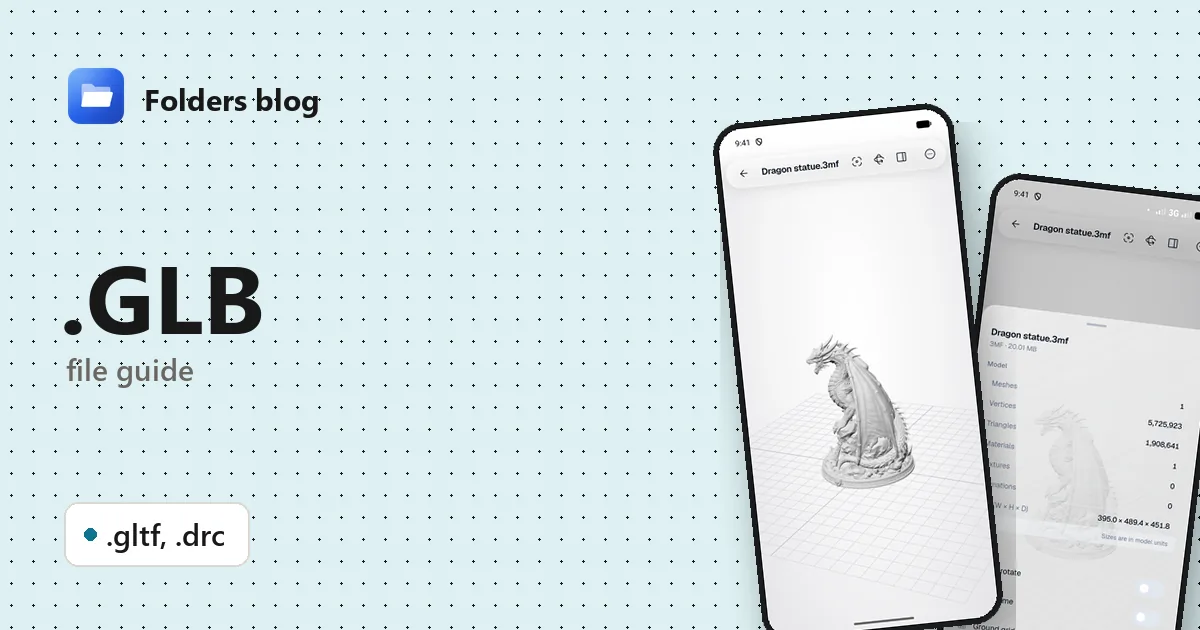
GLB files turn up when you download a model from Sketchfab, export something from Blender for a website, receive a product model for an augmented-reality page, or save an avatar from a game or app. Then comes the question: what opens it? Android phones usually have nothing, and not every Windows PC does either.
Folders’ 3D viewer opens GLB, glTF and Draco (.drc) files on Android and Windows. It’s free and works offline: turn the model, zoom in, check its details and play its animations.
What is a .glb file?
A .glb is a 3D model in glTF (GL Transmission Format), an open standard from the Khronos Group, the industry body behind OpenGL and Vulkan. glTF was designed to deliver 3D content to apps and web pages quickly and in a ready-to-draw form, which is why it’s often called “the JPEG of 3D”. Version 2.0 is the one in use today.
A glTF model can hold meshes, physically based materials (base colour, metalness, roughness, normal maps), textures, a scene hierarchy, cameras, skeletons and animations. The specification fixes two conventions that are worth knowing: units are metres, and +Y is up.
The same model can be stored in two ways, and there’s a third, related extension:
| Extension | What it is |
|---|---|
| .glb | Binary glTF: the scene description, geometry and textures packed into one file |
| .gltf | Text glTF: a JSON file describing the scene, which points to a separate .bin file (geometry) and image files (textures), or carries them inside as base64 text |
| .drc | Draco: Google’s open-source mesh compression. A .drc file is one compressed mesh (points or triangles, sometimes with colours and normals), without materials or a scene |
Draco also works inside glTF, where it shrinks heavy geometry for the web. A standalone .drc file is mostly something developers and 3D-scanning tools produce.
How to open a .glb file with Folders
On Android
- Download and install Folders from the download section, then allow it to access your files.
- Find the model. Browser downloads go to Download; search for
.glbif you can’t spot it. - Tap it. Heavy files show a progress bar until the model is ready to turn.
- If someone sent the model in a chat or email, choose Open with → Folders.
On Windows
- Install Folders and browse to the model.
- Open it in the 3D viewer, and use the mouse: drag to turn, scroll to zoom.
- You can also right-click a .glb or .gltf in File Explorer and choose Open with → Folders.
On Linux, Folders lists, moves and shares GLB and glTF files, but its 3D viewer needs a web view the Linux version doesn’t have yet. It offers Open with… instead, so you can hand the model to Blender or another viewer.
For a .gltf, keep it in the same folder as its .bin and texture files, exactly as it was exported.
What you can do with it in Folders
- Look around: drag to turn, pinch or scroll to zoom, double-tap to frame the model again. Auto-rotate turns it slowly by itself.
- Wireframe shows the triangles, handy for judging whether a model is light enough for the web or a game.
- Ground grid and Axes for orientation. Leave Z axis is up off for glTF, since the format is Y-up; switch it on if a .drc scan from a Z-up tool lies on its back.
- Details lists meshes, vertices, triangles, materials, textures, animations and the model’s size. For glTF that size is in metres, so you can check a chair really is a chair-sized chair.
- Animations: pick one clip, or Play all together. Animated GLB characters and product spins play right in the viewer.
- Save screenshot keeps a picture of the angle you’re looking at, to share with someone who has no 3D viewer.
It’s a viewer, not an editor: no modelling, measuring tools or converting.
Other ways to open .glb files
- Blender (free): File → Import → glTF 2.0 opens both .glb and .gltf for editing.
- Online viewers such as the Babylon.js Sandbox or Don McCurdy’s glTF Viewer: drag the file into the page.
- Windows’ 3D Viewer, if your PC still has it.
- For .drc, Google’s Draco tools include
draco_decoder, which turns a .drc into an .obj or .ply file.
Problems opening a .glb file?
- A .gltf loads with no shape or grey surfaces. Its .bin or texture files weren’t copied with it. Get the whole export folder (zipping it keeps the files together), or ask for a single .glb instead.
- The model is tiny, huge or off to one side. It was exported with the wrong scale or far from the origin. Double-tap to frame it, and check Details for its real size.
- A .drc has no colours or textures. That’s normal: Draco files hold geometry, not materials. The textured version of the model lives in a glTF.
- A heavy model struggles on an older phone. Millions of triangles and large textures need memory. Try the file on a computer, where Folders’ 3D viewer works the same way.
Questions people ask
How do I open a GLB file on Android? Install Folders and tap the file. It opens in the 3D viewer offline, with no account and no 3D app to install.
GLB vs glTF: what’s the difference? Same format, different packaging. A .glb is one binary file with everything inside; a .gltf is readable JSON that usually depends on separate files. GLB is easier to share; glTF is easier to inspect and edit by hand.
How do I convert GLB to OBJ or STL? Folders only views models. Import the GLB into Blender, then use File → Export and choose OBJ or STL.
Is a .drc file a 3D model? Yes, a compressed mesh. It shows the shape, but it has no materials or scene, so it looks plain compared with a full glTF.
Related guides: how to open .FBX files, how to open STL, OBJ and 3MF files and how to open .USDZ files. Or see all 382 file types Folders opens.
Keep reading
How to open .3DM files (Rhino 3D models) on Android, Windows and Linux
What a .3dm file is and how to open Rhino 3DM models for free on Android, Windows and Linux without Rhino, and how to get a copy any 3D viewer can show.
How to open .3DS files (3D Studio models) on Android, Windows and Linux
What a .3ds file is and how to open 3DS, LightWave LWO and Quake II MD2 models for free on Android, Windows and Linux, with textures, skins and animations.
How to open .BLEND files (Blender projects) on Android, Windows and Linux
What a .blend file is and how to open Blender BLEND and BLEND1 files for free on Android, Windows and Linux to see the models, even without Blender installed.