 Folders
How to open .CSV files (comma-separated values) on Android, Windows and Linux
What a .csv file is and how to open, read and edit CSV files for free on Android, Windows and Linux, as a table with the right delimiter, no Excel needed.
 Satyam Mishra4 min read
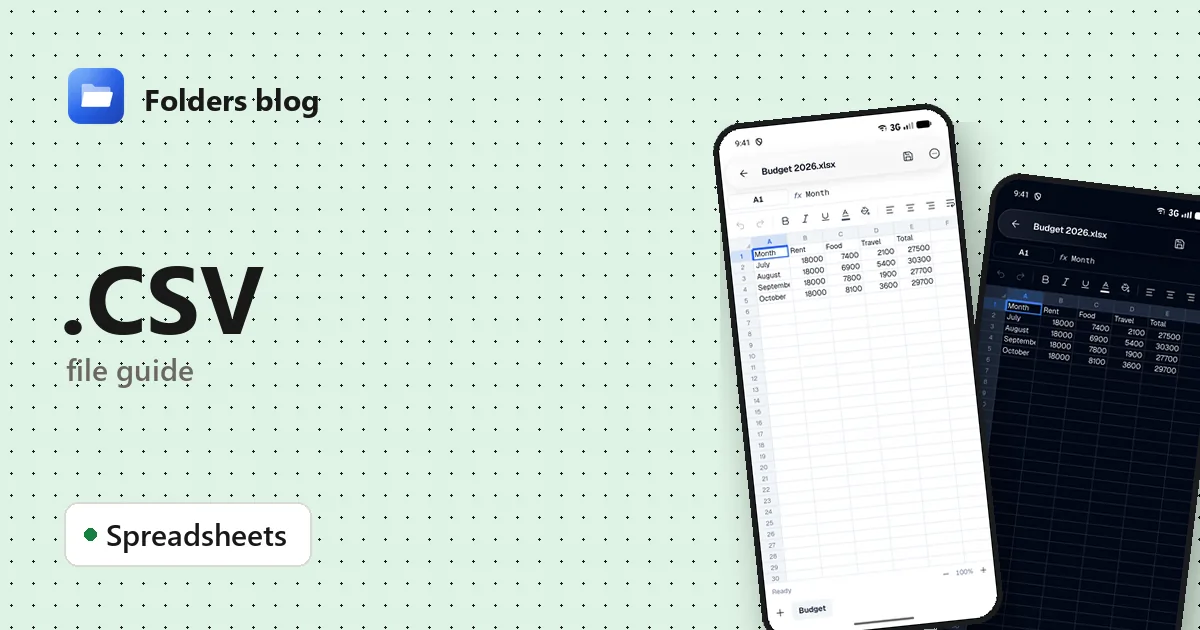
You exported your contacts, downloaded a bank statement, or a website handed you report.csv. On a phone it may open as a wall of text full of commas. On a PC, Excel might cram everything into column A, drop the zero from the start of every phone number, or turn a product code into a date.
Folders opens CSV files as a proper table on Android, Windows and Linux, free and offline. If the columns come out wrong you can switch the delimiter, and when you’ve made changes you can save them straight back as CSV.
What is a .csv file?
CSV stands for comma-separated values. It’s plain text: each line is a row, and commas split it into columns. A value that contains a comma or a line break is wrapped in double quotes, and a quote inside a value is written twice. Here’s a tiny one:
Name,Phone,City
"Smith, Anna",07700 900123,Leeds
Nobody owns the format. Its common rules were written down in RFC 4180 in 2005, but programs still disagree on details, which is where most CSV trouble comes from. Because it’s so simple, almost everything can write CSV: banks, online shops, contact apps, databases. What it can’t hold is just as important: no formatting, no formulas, no charts and only one sheet. It’s data, not a workbook.
Close relatives:
- “CSV” with semicolons. Where the comma is the decimal separator (much of Europe), Excel saves CSV files with semicolons between columns. Same extension, different delimiter.
- TSV uses tabs instead of commas (see how to open .TSV files).
- XLSX is a real Excel workbook, with sheets and formatting.
How to open a .csv file with Folders
On an Android phone or tablet
- Install Folders from the download page and let it access your files.
- Open Download (or wherever the file was saved), or search for
.csvto list the CSV files in a folder. - Tap the file. It opens as a grid of rows and columns.
- If the CSV is in an email or a chat, tap it there and pick Open with → Folders.
On a Windows or Linux computer
- Install Folders and browse to the file.
- Open it, and it appears in the spreadsheet editor.
- On Windows, right-click a CSV in File Explorer and choose Open with → Folders; the installer adds it to that menu.
What you can do with it in Folders
- Pick the delimiter. If everything lands in one column, open Delimiter and choose comma, semicolon, tab or pipe.
- First row is header. Tell Folders whether the first line holds column names.
- Edit cells. Tap a cell to read its full contents and change it. Undo and redo are there if you slip.
- Search the data. Find & replace (with match case) and Go to a cell or range make big exports manageable.
- Save back as CSV. Save writes delimited text again, using the file’s delimiter. If you’ve added sheets or formatting, Folders warns you first that CSV can’t keep them.
- Save as .xlsx. Want to keep bold headings, fill colours or extra sheets? Save it as an Excel workbook instead.
Other ways to open .csv files
- Microsoft Excel: use Data → From Text/CSV instead of double-clicking, so you can choose the delimiter and mark columns as text.
- LibreOffice Calc (free): it shows an import dialog every time, with separator and character set options.
- Google Sheets: File → Import and upload the CSV.
- Any text editor, such as Notepad or gedit, for a quick look at the raw lines.
Problems opening a .csv file?
- Everything is in one column. The file uses a different delimiter from the one the program expected, usually semicolons versus commas. In Folders, change Delimiter. In Excel, import it with Data → From Text/CSV.
- Accents look like é or ?. The file was saved in one text encoding and read as another. Ask for a UTF-8 export, or import it in Excel or LibreOffice with UTF-8 chosen as the character set.
- Zeros, long numbers or codes changed. Excel turns
0123into123, 16-digit IDs into1.23E+15and codes likeMAR1into dates. Import those columns as Text, and don’t save the CSV from Excel after it has changed them, or the damage becomes permanent. - It’s too big. Exports with millions of lines go past Excel’s limit of 1,048,576 rows per sheet. Split the file, or use a database tool for that kind of size.
Questions people ask
How do I open a CSV file on Android? Install Folders, find the file in Download or with search, and tap it. It opens as a table you can scroll, search and edit.
How do I convert CSV to Excel (XLSX)? Open it in Folders and choose Save as .xlsx. Excel and LibreOffice can also do it with Save As.
Why does my CSV open in one column in Excel? Your Windows region settings expect a different list separator from the one in the file. Import it through Data → From Text/CSV and pick the delimiter yourself.
CSV vs XLSX: what’s the difference? A CSV is plain text with one table and nothing else. An XLSX is a workbook that can hold many sheets, formulas, formatting and charts. CSV is better for moving data between programs; XLSX is better for working in.
Related guides: how to open .TSV, .TAB and .PSV files and how to open .XLSX files. Or browse all 382 file types Folders opens.
Keep reading
How to open .ODS files (OpenDocument spreadsheets) on Android, Windows and Linux
What an .ods file is and how to open, read and edit ODS and OTS spreadsheets from LibreOffice for free on Android, Windows and Linux, and save them as .xlsx.
How to open .TSV files (tab-separated values) on Android, Windows and Linux
What .tsv, .tab and .psv files are and how to open, read and edit TSV, TAB and PSV data files for free on Android, Windows and Linux, as a clear table.
How to open .XLS files (Excel 97-2003 workbooks) on Android, Windows and Linux
What an .xls file is and how to open, read and edit old XLS and XLT Excel workbooks for free on Android, Windows and Linux, with no Microsoft Excel needed.