 Folders
How to open .XLS files (Excel 97-2003 workbooks) on Android, Windows and Linux
What an .xls file is and how to open, read and edit old XLS and XLT Excel workbooks for free on Android, Windows and Linux, with no Microsoft Excel needed.
 Satyam Mishra5 min read
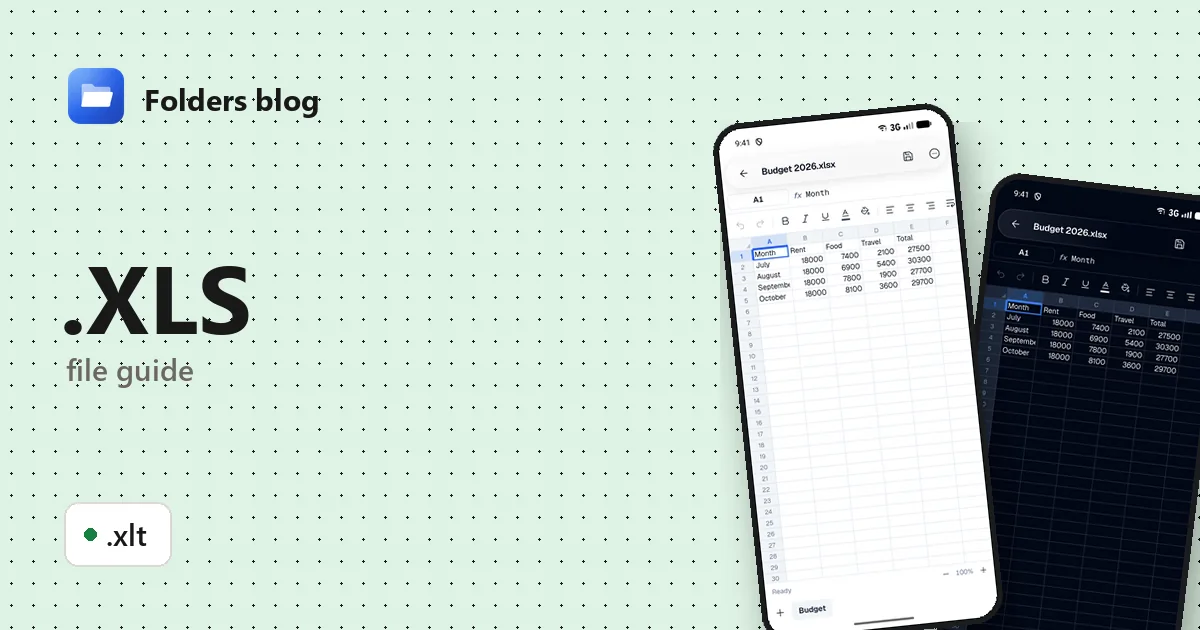
An old price list from a supplier, a school timetable, an accounts export from software that hasn’t changed in years: plenty of spreadsheets still arrive as .xls files. On a phone they often show a blank icon, and a PC without Office just asks which app to use.
Folders opens .xls and .xlt files in its built-in spreadsheet editor on Android, Windows and Linux. It’s free, works offline, and lets you read every sheet, fix a cell and keep a modern .xlsx copy.
What is an .xls file?
XLS is the binary workbook format Microsoft Excel saved by default up to Excel 2003. Inside, cells, formulas and formatting are stored as records known as BIFF (Binary Interchange File Format), in the same kind of container old .doc and .ppt files use. Excel 2007 replaced it with XLSX, a ZIP of XML files, but every Excel still opens XLS, and plenty of business software still exports it.
| Extension | What it is |
|---|---|
| .xls | Excel 97-2003 workbook (binary) |
| .xlt | Excel 97-2003 template: the same format, meant as a starting point for new workbooks |
Two things set XLS apart from the newer format:
- Smaller sheets. An .xls sheet holds at most 65,536 rows and 256 columns (up to column IV). XLSX allows 1,048,576 rows and 16,384 columns.
- Macros can hide in it. An .xls can carry VBA macros, and there’s no separate “macro-enabled” extension like .xlsm, so the name doesn’t warn you.
How to open an .xls file with Folders
On Android
- Get Folders from the download section and install it (Android 7.0 or newer). When it asks, allow it to see your files.
- Find the workbook in Download, or type part of its name, or
.xls, in the search box. - Tap the file. It opens in the spreadsheet editor.
- Still inside Gmail, WhatsApp or a cloud drive app? Tap it there and choose Open with → Folders.
On Windows and Linux
- Install Folders: Windows 10 or 11 (64-bit), or Linux as a deb, rpm, AppImage, Flatpak, Snap or tar.gz package.
- Browse to the workbook in Folders and open it.
- On Windows you can start from File Explorer too: right-click the .xls, choose Open with, then Folders. The installer adds Folders to that menu for the file types it opens.
What you can do with it in Folders
- Move between sheets. Each sheet is a tab. You can add, rename, duplicate, hide, move or delete sheets.
- Read and change cells. Tap a cell to see exactly what’s in it and type a new value.
- Tidy the formatting. Bold, italic, alignment, fill colour and number formats, from the number of decimals to custom formats.
- Find things fast. Find & replace (with match case) and Go to, which jumps to a cell or a range such as
B2:F40. - Undo and redo while you work.
- Save as .xlsx. Folders writes spreadsheets in the modern format, so saving an .xls gives you a new .xlsx beside it and leaves the original as it was: an easy way to bring an old workbook up to date.
Macros never run in Folders. VBA code in an .xls from an unknown sender is simply ignored, so you can look at the data safely. Folders isn’t a full copy of Excel, though: it doesn’t show charts or pivot tables.
Other ways to open .xls files
- Microsoft Excel opens XLS in every version, in Compatibility Mode.
- LibreOffice Calc, free and open source on Windows and Linux, opens and saves XLS.
- Google Sheets in a browser: upload the file to Google Drive and open it there (needs an account and a connection).
- Gnumeric, a small free spreadsheet program for Linux.
Problems opening an .xls file?
- It isn’t really an XLS. Many websites and bank portals export an HTML page or plain tab-separated text and just call it .xls (Excel then warns that the format and extension don’t match). Tab-separated text opens in Folders as text, with a note saying so. An HTML export doesn’t: rename a copy to
.htmland it opens in Folders’ HTML viewer as a web page with the table. - It has a password to open. Such a workbook is encrypted, and Folders can’t open it. Open it in Excel or LibreOffice with the password and save it without one.
- It’s from Excel 95 or earlier. Excel 95 used an older version of the format: Folders shows the values, but not the formulas or some formatting. Older files may not open at all; try LibreOffice.
- The download was cut short. A damaged file can’t be read by any program. Download it again.
Questions people ask
Can I open an .xls file on Android without Excel? Yes. Install Folders, tap the file, and it opens in the spreadsheet editor. No Microsoft account or internet connection is needed.
How do I convert XLS to XLSX? Open the file in Folders and choose Save as .xlsx: a new .xlsx appears next to the original. In Excel or LibreOffice, use Save As and pick the Excel Workbook (.xlsx) type.
Is an .xls file safe to open? The risk is macros, which can run code in Excel once you enable them. Folders never runs macros, so reading an .xls in it is safe. In Excel, don’t click Enable Content on a file you weren’t expecting.
XLS vs XLSX: what’s the difference? XLS is the old binary format with smaller sheets; XLSX is the ZIP-based format Excel has used since 2007. XLSX files are usually smaller, can’t hold macros (that’s .xlsm), and are what most programs expect.
More spreadsheet help: how to open .XLSX files and how to open .XLSM and other macro-enabled workbooks, or see all 382 file types Folders opens.
Keep reading
How to open .CSV files (comma-separated values) on Android, Windows and Linux
What a .csv file is and how to open, read and edit CSV files for free on Android, Windows and Linux, as a table with the right delimiter, no Excel needed.
How to open .ODS files (OpenDocument spreadsheets) on Android, Windows and Linux
What an .ods file is and how to open, read and edit ODS and OTS spreadsheets from LibreOffice for free on Android, Windows and Linux, and save them as .xlsx.
How to open .TSV files (tab-separated values) on Android, Windows and Linux
What .tsv, .tab and .psv files are and how to open, read and edit TSV, TAB and PSV data files for free on Android, Windows and Linux, as a clear table.