 Folders
How to open .XLSM files (Excel macro-enabled workbooks) on Android, Windows and Linux
What .xlsm, .xltx and .xltm files are and how to open, view and edit Excel macro-enabled workbooks and templates for free on Android, Windows and Linux.
 Satyam Mishra5 min read
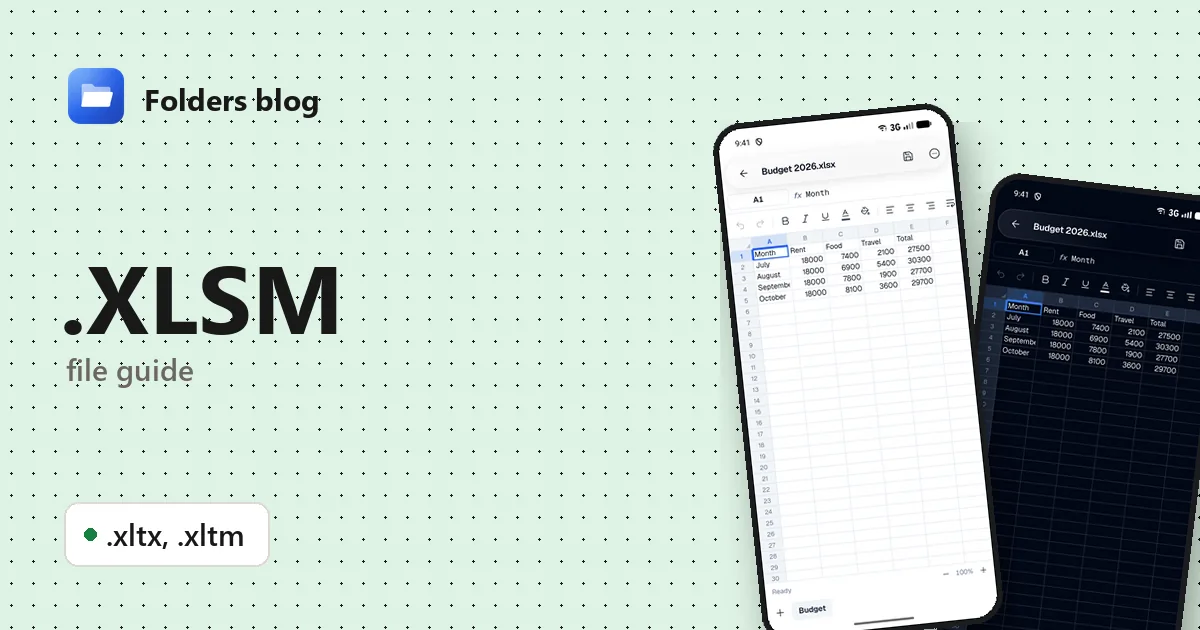
Your team’s timesheet or a budget tool with buttons arrives as an .xlsm file. Your phone won’t open it, and Excel greets you with a security warning about macros. Or you’ve been sent an .xltx template and Excel keeps opening a copy called “Budget1” instead of the file itself.
You can look at all of these without Excel and without running anything. Folders, a free file manager for Android, Windows and Linux, opens .xlsm, .xltx and .xltm files in its spreadsheet editor, where you can read and change the cells, and it never runs the macros.
What is an .xlsm file?
An .xlsm file is an Excel macro-enabled workbook. It’s built exactly like a normal .xlsx, a ZIP archive of XML files for the sheets, text and styles, with one addition: a VBA project stored in a part called vbaProject.bin. VBA (Visual Basic for Applications) is the programming language built into Excel, and its macros can fill in a timesheet, import data, show a form with buttons or produce a report with one click.
Excel keeps workbooks with and without macros apart on purpose. It won’t save macros in an .xlsx, so the extension alone tells you whether a file can carry code.
| Extension | What it is | Can it hold macros? |
|---|---|---|
| .xlsx | Excel workbook | No |
| .xlsm | Excel macro-enabled workbook | Yes |
| .xltx | Excel template | No |
| .xltm | Excel macro-enabled template | Yes |
Templates: XLTX and XLTM
A template is a ready-made starting point, such as a budget or an invoice with the formulas and formatting in place. Double-click an .xltx or .xltm and Excel opens a new, unsaved copy (named after the template with a number, such as Budget1), so the template stays clean.
Excel uses templates for its own defaults too: a template called Book.xltx in Excel’s XLSTART folder becomes the starting point for every new workbook.
How to open an .xlsm file with Folders
On Android
- Download Folders from the download section, install it, and allow access to your files when it asks.
- Find the file, usually in Download if it came by email. Typing .xlsm (or .xlt for both kinds of template) in the search box finds them in the folder you’re in and the folders inside it.
- Tap the file. It opens in Folders’ spreadsheet editor, with all its sheets.
- From your email or chat app, choose Open with → Folders.
On Windows and Linux
- Install Folders (setup program or MSIX on Windows 10 and 11; deb, rpm, AppImage, Flatpak, Snap or tar.gz on Linux).
- Browse to the file in Folders and double-click it.
- On Windows, File Explorer’s right-click Open with menu lists Folders for all three types. For a template, that shows you the template itself rather than a new copy.
What you can do with it in Folders
- Browse every sheet as a tab, and add, rename, duplicate, hide, move or delete sheets.
- Tap a cell to see and change its contents.
- Format with bold, italic, alignment, fill colour and number formats, including decimals and custom formats.
- Find & replace (with match case) and Go to a cell or range.
- Undo and redo, then Save. An .xlsm stays an .xlsm when you save it.
- Save a copy as .xlsx from the menu writes a copy without the VBA project: a tidy way to share the data with someone whose email system blocks macro-enabled files.
Macros never run
Folders doesn’t run VBA. Buttons that would start a macro do nothing, macro forms don’t appear, and there’s no “enable content” prompt. For checking a macro-enabled workbook you weren’t expecting, that’s exactly what you want.
Templates open as themselves
Folders opens an .xltx or .xltm as a workbook, not as a new copy the way Excel does, so Save writes back to the template. To fill one in and keep it clean, use Save a copy as .xlsx first and open the copy.
Other ways to open .xlsm files
- Microsoft Excel on Windows runs the macros once you allow them; to edit a template itself, right-click it and choose Open.
- LibreOffice Calc: free for Windows and Linux, opens all three formats. Its default security settings block macros that aren’t signed by a trusted source.
- Google Sheets imports .xlsm, .xltx and .xltm files from Google Drive, but the VBA macros don’t run there.
- olevba, part of the free oletools package, shows the macro code without running it, if you want to know what a file would do.
Problems opening an .xlsm file?
“Microsoft has blocked macros from running because the source of this file is untrusted.” Recent versions of Office block macros in files from the internet. If you trust the file, right-click it in File Explorer, choose Properties, tick Unblock, and open it again.
Someone renamed it to .xlsx and Excel won’t open it. Renaming doesn’t remove the macros, and Excel reports that the file format or extension isn’t valid. Rename it back to .xlsm.
Folders says the workbook is password-protected. A password to open encrypts the whole file. Open it in Excel or LibreOffice Calc, which ask for the password. A password on the VBA project is different: it only locks the macro code, and the sheets open normally.
The totals or lists look out of date. In many macro-driven workbooks, a macro imports or refreshes the data. Since macros don’t run in Folders, you see the figures from the last time the file was saved in Excel.
Questions people ask
Can I open an XLSM file on Android? Yes. Install Folders and tap the file, or use Open with → Folders from another app.
Is an XLSM file safe? Macros are what can cause damage, and macro-enabled files are a known way to spread malware. Opening one in Folders is safe because macros never run. In Excel, only enable macros in files you trust.
How do I convert XLSM to XLSX? In Folders, open it and choose Save a copy as .xlsx; the copy leaves the macros out. In Excel, use Save As and pick Excel Workbook (.xlsx).
XLSM vs XLSX: what’s the difference? They’re the same format, except that an .xlsm can contain VBA macros and an .xlsx can’t.
What is an XLTX file? An Excel template with no macros. An .xltm is the same with macros allowed.
More guides: how to open XLSX files and the Word equivalent, DOTM, DOTX and DOCM files. Or see all 382 file types Folders opens.
Keep reading
How to open .CSV files (comma-separated values) on Android, Windows and Linux
What a .csv file is and how to open, read and edit CSV files for free on Android, Windows and Linux, as a table with the right delimiter, no Excel needed.
How to open .ODS files (OpenDocument spreadsheets) on Android, Windows and Linux
What an .ods file is and how to open, read and edit ODS and OTS spreadsheets from LibreOffice for free on Android, Windows and Linux, and save them as .xlsx.
How to open .TSV files (tab-separated values) on Android, Windows and Linux
What .tsv, .tab and .psv files are and how to open, read and edit TSV, TAB and PSV data files for free on Android, Windows and Linux, as a clear table.