 Folders
How to open .DOTM files (Word macro-enabled templates) on Android, Windows and Linux
What a .dotm file is and how to open, read and edit DOTM, DOTX and DOCM files for free on Android, Windows and Linux, with no Microsoft Word needed.
 Satyam Mishra7 min read
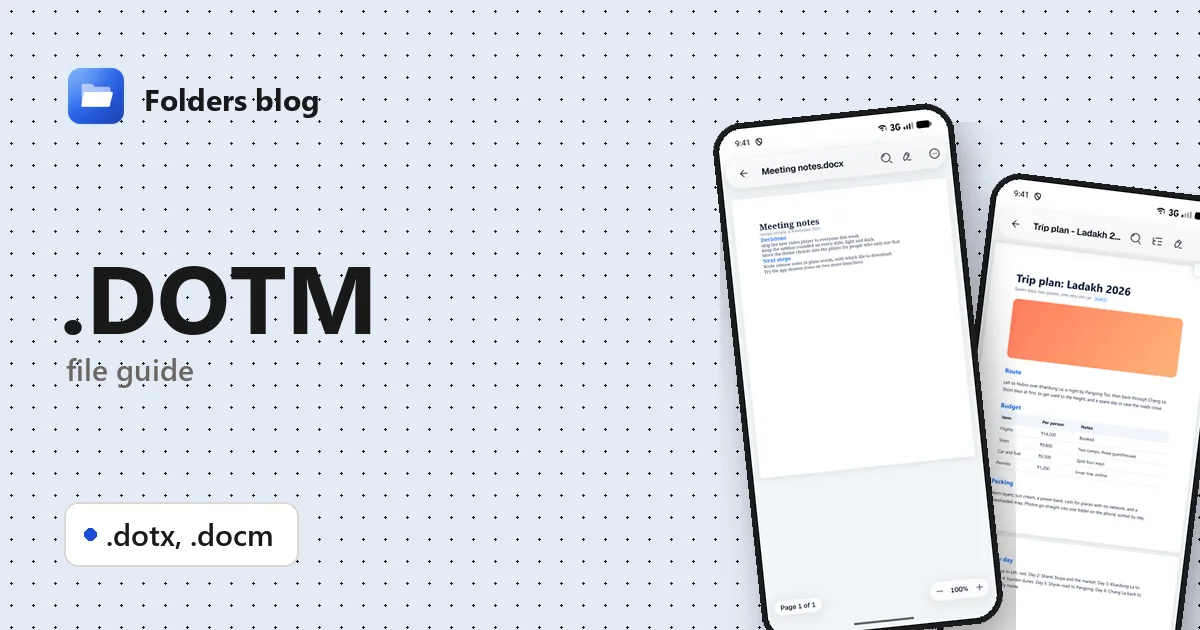
Someone has sent you a .dotm file: your company’s letterhead, a report template, or the thesis template your university insists on. Your phone can’t open it, a computer without Word does nothing, and Word itself shows a macro warning or a blank new document instead of the file.
A .dotm file is a Word template that can contain macros, and you don’t need Word to read it. Folders, a free file manager for Android, Windows and Linux, works as a .dotm file viewer: it opens .dotm, .dotx and .docm files in its document viewer, lets you read and edit the text, and never runs the macros inside.
What is a .dotm file?
DOTM stands for Word macro-enabled template. It arrived with Word 2007, together with DOCX, and uses the same Office Open XML format: a ZIP archive of XML files holding the text, styles, headers, footers and pictures. A .dotm adds two things a normal document doesn’t have:
- Macros: small programs written in VBA (Visual Basic for Applications), stored inside the file in a part called vbaProject.bin. They can fill in a letter, insert standard clauses or format a report with one click.
- Often, custom buttons or a ribbon tab that run those macros.
A template is a starting point rather than a finished document: it sets the fonts, styles, margins, logo and placeholder text for every document made from it.
Microsoft’s naming is consistent once you see the pattern: doc means document and dot means template; x means no macros and m means macros allowed.
| Extension | What it is | Can it hold macros? |
|---|---|---|
| .docx | Word document | No |
| .docm | Word macro-enabled document | Yes |
| .dotx | Word template | No |
| .dotm | Word macro-enabled template | Yes |
| .dot | Word 97–2003 template (older binary format) | Yes |
DOTX and DOCM
A .dotx is a plain template with no macros, such as a letterhead or a CV layout. A .docm is an ordinary document that carries macros, such as a form with buttons. Both are built like a .dotm inside.
Normal.dotm, the template you already have
If Word is installed on a Windows PC, there’s a .dotm on it already. Normal.dotm is Word’s default template: every blank document starts from it, and it stores your default font, styles and recorded macros. It lives in %APPDATA%\Microsoft\Templates. Templates placed in Word’s Startup folder (%APPDATA%\Microsoft\Word\STARTUP) load as add-ins every time Word starts, which is how firms add their own toolbar to every document.
How to open a .dotm file with Folders
On Android
- Download Folders from the download section and install it. Allow access to your files when it asks.
- Find the template. Attachments you saved are usually in Download; typing .dotm (or .dotx, .docm) in the search box finds them in the folder you’re in and every folder inside it.
- Tap the file. It opens in Folders’ document viewer.
- If it’s attached to an email or a chat message, choose Open with → Folders in that app.
On Windows and Linux
- Install Folders (setup program or MSIX on Windows 10 and 11; deb, rpm, AppImage, Flatpak, Snap or tar.gz on Linux).
- Browse to the file in Folders and double-click it.
- On Windows, right-click the file in File Explorer and choose Open with → Folders. This helps even where Word is installed: double-clicking a template makes Word start a new document from it, while Folders shows the template itself.
What you can do with it in Folders
- Read the template as it is, in a clean view or in Print layout, which shows the pages, margins and headers as they’d print.
- Outline lists the headings, handy for the chapter structure of a thesis template.
- Find searches the text, for example for placeholders like [Client name] that you need to fill in.
- Document info shows the page size, pages and words, so you can see at a glance whether a template is set up for A4 or US Letter.
- Copy text to reuse standard wording from a template in an email, and Dark page for reading at night.
- Edit the text, then Save, or Save as copy to leave the original untouched. Folders changes only the text when it saves; styles, headers, footers and pictures are kept as they were. Tables and pictures stay in place but can’t be edited.
Macros never run
Folders doesn’t run VBA at all, so it never asks you to “enable content”, and opening a file you weren’t expecting can’t start a macro. Custom buttons and ribbon tabs simply don’t appear. That makes it a safe way to see what’s in a macro-enabled file before deciding whether to open it in Word.
The other side: if a template builds its letter through a macro, Folders shows only what’s saved in the file, not what the macro would produce.
Templates open as documents
Folders opens a template as a document you can read and edit; it doesn’t create a new document from it the way Word does. To fill a template in and keep the original clean, edit it and choose Save as copy.
Other ways to open .dotm files
- Microsoft Word on Windows: right-click the file and choose Open to edit the template itself; double-clicking creates a new document from it. Word decides whether macros may run.
- LibreOffice Writer: free for Windows and Linux, opens DOTM, DOTX and DOCM. Its default security settings block macros that aren’t signed by a trusted source.
- 7-Zip or any ZIP tool: open the file as an archive to see what’s inside; a vbaProject.bin means it really does contain macros.
- olevba, from the free oletools package: a command-line tool that shows the macro code without running it.
Problems opening a .dotm file?
Word makes a new “Document1” instead of opening the file. That’s how Word treats templates. Right-click the file and choose Open, or view it in Folders.
“Microsoft has blocked macros from running because the source of this file is untrusted.” Recent versions of Office block macros in files from the internet. If you trust the file, right-click it in File Explorer, choose Properties, tick Unblock and open it again. To just read it, you don’t need the macros at all.
Someone renamed it to .docx and now Word refuses it. Renaming doesn’t remove macros. Word sees a macro-enabled file wearing a .docx name and reports a problem with the contents. Rename it back to .dotm (or .docm). Folders reads the contents rather than the name, so it opens the file either way.
Folders says the document is password-protected. The template was encrypted; open it in Word or another app that can decrypt it.
Word starts behaving oddly after a macro or add-in. A damaged Normal.dotm is a common cause. Close Word, rename Normal.dotm to Normal.old, and Word creates a fresh one the next time it starts.
Questions people ask
How do I open a .dotm file without Word? Use Folders on Android, Windows and Linux, or LibreOffice Writer on a computer. Neither needs Microsoft Office.
Can I open a .dotm file on Android? Yes. Install Folders, then tap the file or choose Open with → Folders from your email or chat app.
Is a .dotm file safe to open? The macros are what can do damage, and macro-enabled files are a common way to spread malware. Reading one in Folders is safe because macros never run. In Word, don’t enable macros in a file you weren’t expecting.
What’s the difference between .dotm and .dotx? Both are Word templates. A .dotm can contain macros; a .dotx can’t.
How do I convert .dotm to .docx? Folders keeps a file in its own format when it saves, so it won’t make a .docx from a .dotm. In Word, double-click the template to start a new document, then Save As and choose Word Document (.docx); Word warns that the macros can’t be kept and leaves them out. LibreOffice can also save it as .docx.
More document guides: how to open DOCX files, how to open DOC and DOT files, and the Excel equivalent, XLSM and XLTM files. Or see all 382 file types Folders opens.
Keep reading
How to open .DOC files (Word 97–2003 documents) on Android, Windows and Linux
What .doc, .dot and .wps files are and how to open, read and convert old Word and Works documents for free on Android, Windows and Linux, saving them as DOCX.
How to open .DOCX files (Word documents) on Android, Windows and Linux
What a .docx file is and how to open, read and edit Word DOCX documents for free on Android, Windows and Linux, without Microsoft Word or an account.
How to open .ODT files (OpenDocument Text) on Android, Windows and Linux
What .odt, .ott and .fodt files are and how to open and read OpenDocument Text from LibreOffice for free on Android, Windows and Linux, and save a copy as DOCX.